March 30, 2026
As April 1 fades away, so do harmless pranks and questionable announcements that leave you questioning everything on April Fools' Day.
Sadly, scams don't follow the calendar.
Spring marks a surge in cyberattacks—not because teams are negligent, but due to the busy, distracted pace. It's during these hectic moments that subtly crafted scams sneak past even the sharpest employees.
Here are three pervasive scams actively targeting vigilant, hardworking staff just trying to manage their workload.
Take a moment as you read: Would everyone on your team take that crucial pause to spot these threats?
Scam #1: Fake Toll or Parking Fee Alerts via Text
Imagine an employee receives this text:
"You owe an unpaid toll of $6.99. Pay within 12 hours to avoid additional charges."
The message cites legitimate toll systems like E-ZPass, SunPass, or FasTrak, tailored to the recipient's state. The small fee seems harmless, and amidst back-to-back meetings, they click, pay, and move on.
But the payment link is fraudulent.
The FBI reported over 60,000 fake toll text scams in 2024 alone, with a staggering 900% increase projected in 2025. Researchers uncovered more than 60,000 counterfeit domains impersonating state toll agencies—demonstrating just how lucrative this scam has become, even tricking individuals in states without toll roads.
The scam succeeds because a $6 charge feels low risk, and many have recently passed a toll or parked downtown, making the message believable.
The best defense: authentic toll agencies don't demand payment via text. Proactively, smart businesses enforce a strict policy—no payments through text links. If a charge seems real, employees verify directly on the official website or app. They avoid replying—even with "STOP"—to prevent confirming their number's activity and inviting further scams.
Stay cautious: convenience lures, but strict processes protect.
Scam #2: "Your File Is Ready" Phishing Emails
This attack blends seamlessly into daily work routines.
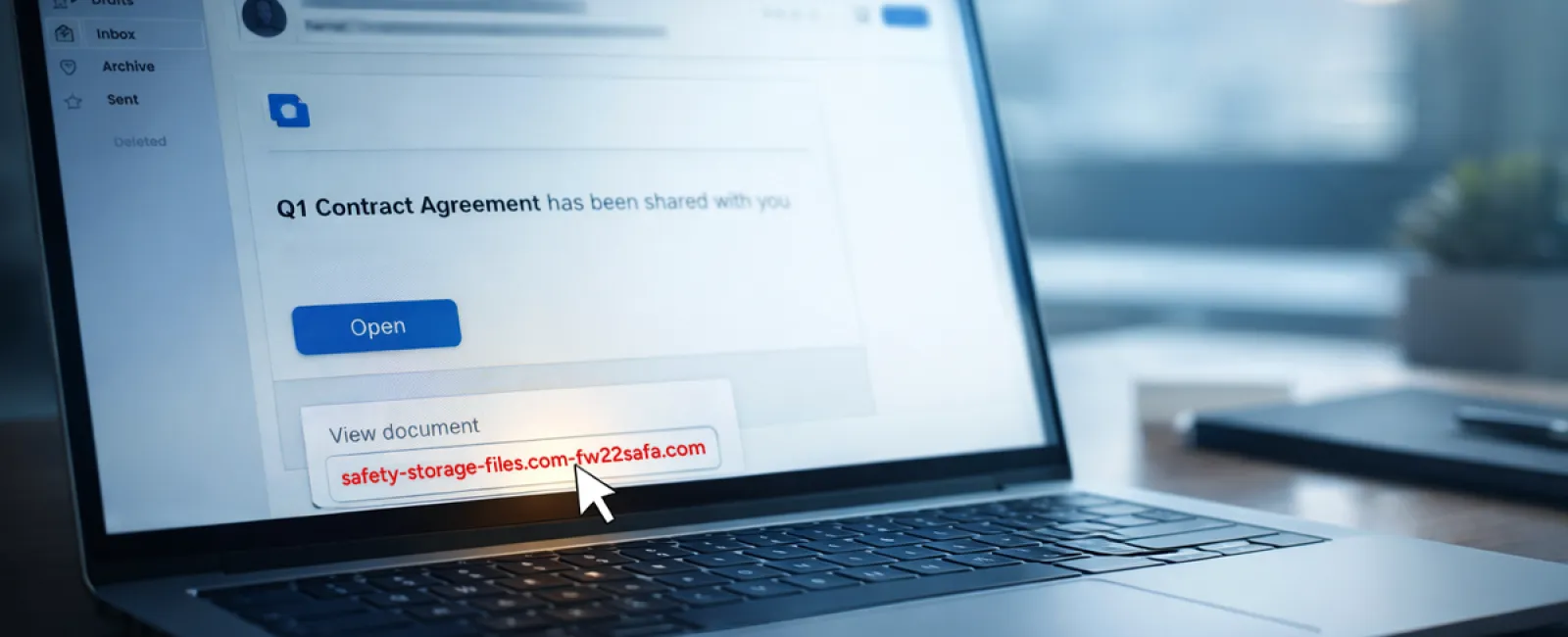
An employee receives an email indicating a document was shared—often a contract via DocuSign, a spreadsheet in OneDrive, or a file on Google Drive.
The sender's name appears accurate, and the formatting mimics genuine file-share notifications.
They click through, prompted to log in—and unknowingly hand over their credentials.
With those details, attackers gain access to your company's cloud systems.
Such phishing has surged dramatically. KnowBe4's Threat Labs noted a 67% spike in attacks leveraging platforms like Google Drive, DocuSign, Microsoft, and Salesforce in 2025. Google Slides phishing links alone soared over 200% within six months.
Shockingly, employees are seven times more likely to open a malicious link from trusted platforms like OneDrive or SharePoint due to the familiar appearance.
Even more concerning, attackers create files within compromised accounts and send genuine sharing notifications from real servers, bypassing spam filters because the emails are technically legitimate.
Protective measures: Train your team to be skeptical of unexpected shared file emails. Instead of clicking the email link, they should log into the platform directly to verify. Additionally, restrict external sharing permissions and activate alerts for unusual login activity—quick IT settings that drastically reduce risk.
Consistent caution yields powerful protection.
Scam #3: Hyper-Polished Phishing Emails
Remember when phishing emails were easy to detect with poor grammar and odd layouts?
Those days are long gone.
A 2025 study revealed AI-generated phishing emails command a 54% click rate—more than four times higher than the 12% for human-crafted ones. They mimic genuine company names, job titles, and workflows by scraping LinkedIn and company sites instantly.
The latest tactic focuses on targeting departments specifically: HR and payroll teams receive fake employee verification requests, finance staff encounters vendor payment change notices. One test found 72% engagement with vendor impersonation emails—a 90% increase over other phishing types. These messages appear calm, professional, and appropriately urgent as any normal day's correspondence.
How to guard against this: Always verify sensitive requests—whether credentials, payment updates, or confidential information—through a secondary channel like a phone call, chat, or in person. Before clicking, hover over sender emails to confirm domains. Treat urgent messages with caution—the urgency itself is a red flag.
True security empowers calm vigilance, not panic.
The Core Issue Behind These Threats
These scams exploit familiarity, perceived authority, timing, and the belief that "it only takes a moment."
The real danger isn't careless employees—it's flawed systems relying on everyone to always slow down, verify perfectly, and make no mistakes under pressure.
If one rushed click can cause chaos, that's not a people error but a process failure.
And the good news: process issues can be fixed.
How We Can Support Your Business
Most owners don't want to add another project or become the team's security trainer.
They want assurance their business isn't quietly vulnerable.
If you're worried about your team's exposure—or know another business owner who should be—let's have a conversation.
Join us for a clear, no-pressure discovery call where we'll discuss:
• Current threats businesses like yours face
• How risks sneak in during everyday activities
• Practical, efficient ways to minimize exposure without slowing down your team
No scare tactics—just straightforward insights and solutions.
Click here or give us a call at (502) 473-9330 to schedule your free 15-Minute Discovery Call.
If this doesn't apply to you, please forward it to someone who'd benefit. Sometimes, awareness is all it takes to turn a "might have clicked" into a "blocked attempt."